Which AI Video Model for Drafts? Seedance 2.0 Mini vs Grok Imagine vs PixVerse V6 vs Wan 3.0
A side-by-side guide to the four draft models on MagiVideo.co: resolution, clip length, sound and credits per second, when to pick each one, and prompt tips for every model.
Short answer: start most drafts with Grok Imagine at 480p if you want sound at the lowest price per second, or Seedance 2.0 Mini at 480p, which costs the same per second, if you need a specific length such as 4 or 8 seconds. Use PixVerse V6 when 540p is the minimum you can judge a shot at, and save Wan 3.0 for ideas that already worked in a cheaper draft. The rest of this guide explains why, with the numbers.
The four models at a glance
All four take a text prompt or one start image, render in 16:9, 9:16 or 1:1, and can produce 1 to 4 takes per click, each charged separately. They differ in resolution, length, sound and price.
| Model | Maker | Resolution and credits per second | Lengths | Sound |
|---|---|---|---|---|
| Seedance 2.0 Mini | ByteDance | 480p: 1, 720p: 2 | 4, 5, 8, 10 s | silent |
| Grok Imagine | xAI | 480p: 1, 720p: 2 | 6, 10 s | generated sound |
| PixVerse V6 | PixVerse | 540p: 2, 720p: 2 | 5, 8, 10 s | silent |
| Wan 3.0 | Alibaba | 480p: 2, 720p: 4 | 5, 10 s | silent |
The cost of a job is simple: credits per second, times the length in seconds, times the number of takes. The generator shows the result before you start.
Grok Imagine: the lowest rate, with sound
Grok Imagine shares the lowest rate on MagiVideo.co with Seedance 2.0 Mini at both resolutions, and it is the only one of the four that generates sound with the clip. That makes it the default for exploring ideas where atmosphere matters, such as rain on a window, a busy street or waves.
Pick it when you want many takes for few credits and sound is part of the idea.
Watch out for its lengths: only 6 or 10 seconds. If you need a 4-second loop, another model is a better fit.
Prompt tip: describe the sound as well as the picture. "A kettle starts to whistle on a gas stove, steam curling, close-up, morning light" gives the model something to hear as well as see.
Seedance 2.0 Mini: the most length options
Seedance 2.0 Mini offers four lengths, 4, 5, 8 and 10 seconds, more than any other model here. The 4-second option at 480p is the cheapest single clip you can make on MagiVideo.co, and it is exactly what the one-time welcome credits cover.
Pick it when you need a precise length, short loops, or many very short tests.
Watch out for the lack of sound; plan to add audio later if the idea needs it.
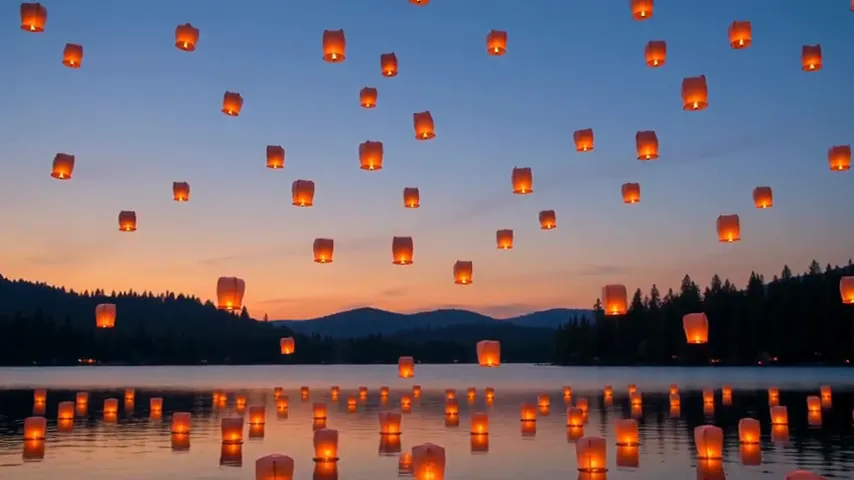
Prompt tip: in 4 seconds there is room for one movement. Write a single action and a single camera move: "A paper lantern rises slowly into a dark sky, static camera, wide shot."
PixVerse V6: a sharper starting point
PixVerse V6 starts at 540p rather than 480p. At 540p it costs the same per second as the 720p versions of Seedance 2.0 Mini and Grok Imagine, and its 720p costs the same again, so it is the cheapest way to a 720p draft that keeps fine detail.
Pick it when detail matters for judging the draft, for example small props, fabric or fine texture, and 480p is too soft to decide.
Watch out for the missing 4- and 6-second options; the shortest clip is 5 seconds.
Prompt tip: be explicit about materials and surfaces. "Close-up of a ceramic mug being turned on a potter's wheel, wet clay glistening, soft studio light" plays to the extra resolution.
Wan 3.0: the premium pass
Wan 3.0 has the highest rate of the four: 2 credits per second at 480p and 4 at 720p. It offers 5 or 10 seconds, silent.
Pick it when an idea has already proved itself in a cheaper draft and you want to see how a different model interprets it before you commit.
Watch out for using it for the first round of exploration; the same credits buy several takes on a cheaper model.
Prompt tip: reuse the exact prompt that won your cheaper drafts, then change one thing at a time. That way you can tell whether a difference comes from the model or from your wording.
A simple drafting plan
- Round one: Grok Imagine or Seedance 2.0 Mini at 480p, 2 to 4 takes, shortest length that shows the idea.
- Pick the best take and note what made it work.
- Round two: refine the prompt, or switch to a start image to lock the look, and draft again on the same cheap model.
- Final pass: take the winner to 720p, a longer length, PixVerse V6 or Wan 3.0.
Changing frame shape between rounds resets the composition, so decide between 16:9, 9:16 and 1:1 before round one.
Prompt tips that work on every model
- One shot per prompt: a subject, one action, a setting.
- Name the camera: static, slow push-in, pan left, tracking shot.
- Give the light and time of day.
- Keep a style word (watercolour, claymation, film grain) the same in every round.
- With a start image, describe only the motion; the image already supplies the look.
- Avoid real people without consent, public figures and anything the Acceptable Use Policy bans. Prompts are screened before anything is charged, and blocked requests cost nothing.
What about MAGI-2?
MAGI-2 from Sand AI is listed on MagiVideo.co as "coming soon". It cannot be selected and is never charged, because it has not been added here yet. Read What is MAGI-2? for the details, and Magi AI video drafts for the draft-first workflow.
New accounts get 4 credits once after email verification. Plans and packs are on the pricing page. MagiVideo.co is an independent site, not affiliated with or endorsed by ByteDance, xAI, PixVerse, Alibaba or Sand AI.
Try it in the generator
Write a prompt, pick a model and see the credit cost before you render.